On this page10 sections
Key takeaways
- Start from the decisions the parking operator, property manager, staff and security lead make, then map the lot by how each area is used.
- Give every decision an observation, an owner and a review cadence, with review rules agreed for your site during setup.
- Read occupancy by zone with its observed time. A stale zone is awaiting observation, never zero, and a whole-site total waits for every zone.
- Observations complement the payment, permit and security tools you already run, and a person reviews before any action is taken.
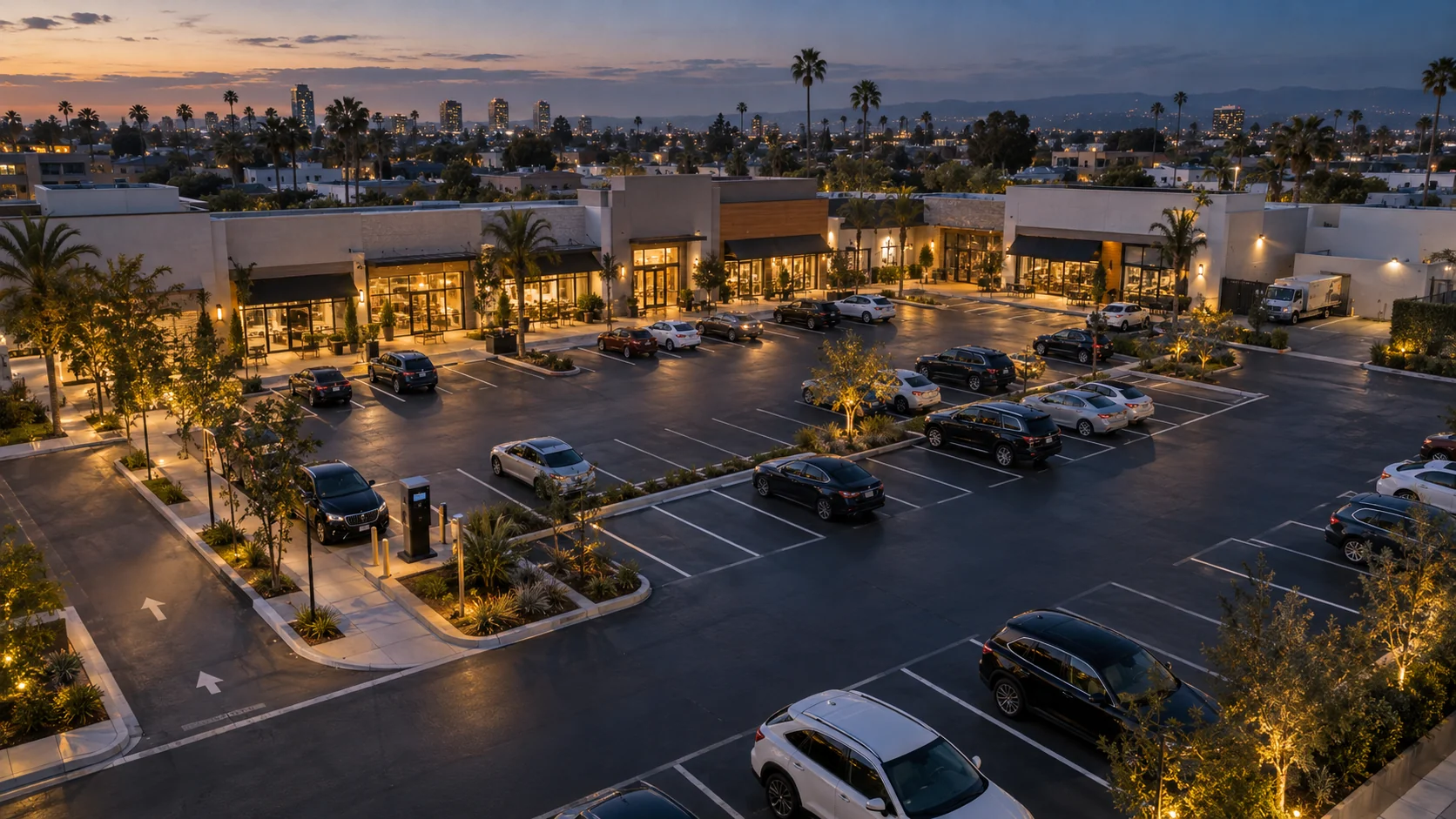
A paid surface lot in front of a row of shops serves several people at once. The parking operator runs the lot and its attendants. The property manager answers to tenants who want customers parked near their doors and deliveries reaching the back. The security lead cares about the lot after closing. Each makes decisions about the same asphalt, usually from different information.
This guide sets out a planning method that gives them a shared picture, for open paid lots and for shared parking at strip and neighborhood centers.
Start with the decisions
Before drawing zones or placing cameras, write down the decisions people actually make about the lot. A decision is a question someone answers at a specific time: “Do we need a second attendant on Saturday afternoon?” is a decision; “better visibility” is not.
- Property manager. Whether storefront spaces serve every tenant’s customers, where tenant staff park, which delivery windows to agree and when to open overflow for a holiday or event.
- Parking operations lead. Attendant schedules, when to open overflow or change wayfinding, and which areas need a staff check.
- Attendants on shift. Where to direct arriving drivers and which check to make next.
- Security lead. Which after-hours observations to review first and where a patrol should look.
If no one can name the decision an observation would support, leave it out for now.
Map the lot by how it is used
A retail lot is rarely one pool of interchangeable spaces. Walk it at busy and quiet times, and draw zones around how each area is used and posted, not the striping plan. Most centers combine some of these:
- Storefront short stay. Rows nearest the shop entrances, meant for quick visits. Tenants notice first when these are full.
- General customer parking. The main body of the lot, where longer visits belong.
- Staff and permit. Areas set aside for tenant employees or permit holders, usually at the edges or rear.
- Pickup. Marked spaces for order pickup or rideshare waits.
- Loading and delivery. Truck positions and service lanes that must be clear during delivery windows.
- Overflow. Far rows or an adjacent area opened on busy days.
- Accessible and EV spaces. Their own zones or sub-zones, so capacity stays accurate.
Agree the names with the operator, property manager, attendants and security, so one name appears on the map, in the weekly review and over the radio. Record each zone’s capacity and posted rule. Where an area changes use by time of day, such as pickup at lunch and general parking in the evening, record the time rule rather than drawing two maps. Name the area and its purpose, not who is parked there. Mapping a vehicle lot covers naming in detail.
Match decisions to observations and owners
For each decision, name the observation that supports it, the person who owns it and how often it is reviewed. A weekly decision does not need a live screen; a live decision cannot wait for a weekly report.
| Decision | Observation | Owner | Review cadence |
|---|---|---|---|
| Where to send arriving drivers, and when to open overflow | Occupancy by zone against capacity, with the time observed | Parking operations lead; attendants on shift | Live, during busy hours |
| Whether storefront short-stay spaces turn over as intended | How long short-stay zones stay full; observed visit duration where coverage supports it; staff spot checks | Property manager with the operations lead | Weekly |
| When to schedule attendants and staff checks | When each zone fills and empties, over several weeks | Parking operations lead | Weekly |
| Whether loading areas stay clear for deliveries | Loading-zone occupancy during agreed delivery windows | Property manager | Weekly, plus a staff check when the review rule applies |
| Whether staff, permit, accessible and EV areas suit their use | Occupancy of each area over several weeks | Property manager | Monthly |
| Which after-hours observations need a look | After-hours occupancy by zone, against the site’s review rules | Security lead | Each morning |
| Whether today’s numbers can be trusted | Time of last observation, per zone | Parking operations lead | Daily, at opening |
Write each review rule in plain language and agree it during setup: “If the loading area is occupied outside the delivery window, the attendant on shift checks it.” A good rule names a place, a time, a condition and a person.
Occupancy over the day, and how fresh it is
The core signal is occupancy by zone: spaces in use against capacity, at the time they were observed. Over several weeks those observations show the center’s rhythm: when storefront rows fill, how long they stay full, when overflow is needed and which hours suit sweeping or restriping. Tag holidays, events and closures so they do not distort comparisons.
A rising count shows a zone filling. It is not a count of arrivals, because vehicles leaving while others arrive can hide inside the same change. If arrivals at a particular entrance matter for a decision, scope that question explicitly for your site.
Every count also has an age. When a zone has not been observed recently, show it as awaiting observation, with the time of its last good observation. Never fill the gap with the previous count and never show it as zero: zero means empty, while a missing observation means nobody knows. Capacity stays visible while occupancy waits. Totals follow the same rule: a whole-site figure appears only once every zone in scope is fresh.
A stale zone is awaiting observation, not empty. A total built from current and old counts looks precise and misleads the person who acts on it.
Pair visit patterns with payment records
Two records can describe the same parked car and answer different questions.
- A paid session is a record in the payment system: what was purchased, for which space, zone or plate, and for how long. It is the record for payments and revenue, and it stays in your payment platform.
- An observed visit duration is how long a vehicle appeared to be present in a zone, where coverage is good enough to follow it and the measure is scoped for your site. It can have gaps when a view is blocked or a camera is offline.
Use visit patterns for operations questions, such as whether short-stay rows turn over as intended or loading positions are used for parking, and read them as a spread of stays rather than an average. Use the payment platform for purchased sessions and permit records for parking entitlement. When observations are reviewed alongside those records, define the connection in the integration plan and have a person review any difference with the full context.
Fit alongside payment, permit and security tools
A paid lot already runs on pay stations or a payment app, permit or validation lists, security cameras and patrol logs, and tenant agreements. Each stays the record for what it does today; zone observations add a view of how the lot is used over time.
| Tool | Stays the record for | What zone observations add |
|---|---|---|
| Pay stations and payment apps | Paid sessions, rates and revenue | When and where demand builds, as context when people review hours, rates and signage |
| Permit and validation lists | Who may park where, and when | Whether staff and permit areas are sized for how they are used |
| Security cameras and patrol logs | Incidents, footage and patrol records | A zone-level view of after-hours activity, to help decide where to look first |
| Tenant and property agreements | Allocations, delivery windows and shared-use terms | Shared observations for conversations about storefront spaces, loading and overflow |
Turn this into a site-scoped integration plan: for each tool, record what stays where, what passes between systems, who owns each connection and what is out of scope. Many sites start with shared zone names and a side-by-side look in the weekly review, then connect systems only where a specific decision needs it.
People review before anyone acts
Observations route attention to a person; they do not decide outcomes. A full loading area or a vehicle on the lot after hours often has an ordinary explanation. The plan should say who reviews each kind of observation, how they confirm it and which existing procedure they follow next.
- A named reviewer confirms the context and follows the operator’s and property’s own procedures for enforcement, towing or access decisions.
- Record what the reviewer found, including “no action.” Those notes are how review rules improve.
Designing exception review covers triage, response states and ownership by shift.
Privacy-conscious coverage and signage
Plan coverage around the zones in your decision table rather than trying to see everything. Aim cameras at parking rows, drive aisles and loading positions, and keep storefront interiors, neighboring properties and residential windows out of view wherever possible. For everyday review, counts by zone and time are usually enough; limit video access to the people and purposes your policy names. Agree retention, access and signage in writing, and confirm local requirements for notices and camera use with whoever advises the property on legal matters. Planning camera coverage covers placement in detail.
A weekly site review
Patterns change decisions only when someone looks at them on a schedule. Hold a short weekly review with the property manager, the parking operations lead and, when needed, the security lead, with a fixed agenda:
- Coverage and freshness. Which zones had observation gaps, and why? Resolve those before reading any pattern.
- Peaks. When did storefront and general zones fill, and did overflow and wayfinding change in time?
- Short stay, pickup and loading. Did these areas work as intended, and what did staff checks find?
- Allocations and after hours. Are staff, permit, accessible and EV areas used as planned? What did the security lead review?
- Other tools. What did payment, permit or security records raise for the integration plan?
- One change. Agree a single adjustment, its owner and what you expect to see next week.
A typical outcome is small and concrete: storefront rows fill by late morning while the far rows stay open, so the team points the entry sign to the far rows at midday and checks the effect next week. Log each change and what followed; over a season, that log becomes the site’s operating memory.
Planning checklist
- Decisions are written down, each with an owner and a review cadence.
- Zones are named by use and posted purpose, agreed by the operator and the property manager, with capacity recorded for each.
- Review rules for short stay, pickup, loading, overflow and after hours are written in plain language, each naming a person.
- The freshness rule is agreed: a stale zone shows as awaiting observation, and the whole-site total waits for every zone.
- Systems of record for payments, permits and security are listed, and the integration plan says what connects and what does not.
- Coverage has been reviewed for privacy, signage checked against local requirements, and the weekly review is on the calendar.
ParkSense presents occupancy by zone with the time of each observation, keeps the history behind daily patterns and shows a zone as awaiting observation when it has not been seen recently. Review rules, workflows and any connections to payment, permit or security tools are scoped with you for your site during setup. Bring this plan to a ParkSense site discussion.