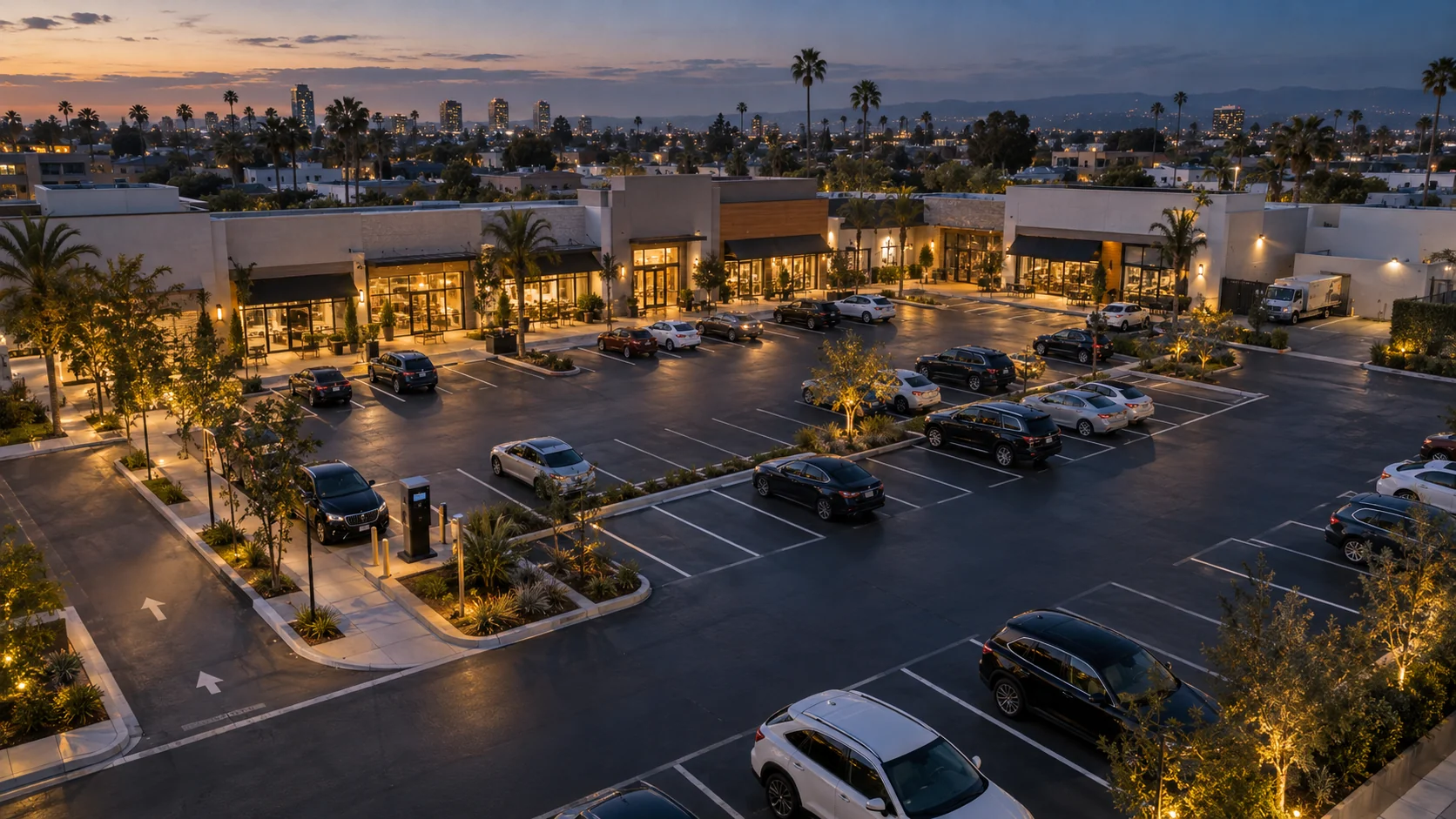
Paid lots and retail centers
Occupancy you can operate on.
Run paid surface lots, garages and shared parking at shopping centers and strip malls with a clearer view. See current space use, plan for busy periods and direct staff to overflow, short-stay, loading and after-hours checks.
Who it is for
For the people who run the lot.
Parking operators, retail property managers and owners of several properties ask different questions of the same lot. Each starts from occupancy by zone, with the time every count was observed.
-
01Paid parking operators · Surface lots and garages
Know how each lot is being used.
See which zones have room, when each area fills and which counts need a fresh look, so every shift runs on what the lot is doing today.
Decisions it supports
- Attendant hours and shift handover
- When to open overflow or change entry signs
- Which check needs a person on site
-
02Retail property managers · Shopping and strip centers
Keep shared parking working across the center.
Compare the storefront row with rear and overflow parking, keep pickup and loading areas in the same view and bring clear observations to tenant conversations.
Decisions it supports
- How many spaces to hold for short stays
- Pickup and loading windows to agree with tenants
- Where signs send drivers at the busiest hours
-
03Owners and managers · Several properties
A consistent view, site by site.
Each property is mapped the same way, with zones named consistently and every count carrying its observed time. Move between site views and agree the format of owner updates during setup.
Decisions it supports
- What to review with each site’s operator
- Which property needs allocation or signage changes
- What goes into owner updates
Also a fit for mixed-use properties, offices and facilities that share visitor, staff and fleet parking.
Capabilities
Read the site the way it actually runs.
Three views of the same zones, built around the questions operations teams ask through the day.
01 / 03
Occupancy by zone, with observed times
See how full each zone is right now, from the storefront row to a deck level or the loading court, and how that rolls up to the whole site. Every count carries the time it was observed.
Questions this answers
- Is the storefront row full while the back of the lot has room?
- Which area should the next driver be sent to?
- Is the area held for staff or permit holders being used as planned?
Site total unavailableAwaiting a fresh observation in 1 of 6 zones
- Storefront short stay 34 / 40 Observed 17:46
- Central lot 29 / 40 Observed 17:46
- Deck level 1 12 / 20 Observed 17:45
- Deck level 2 5 / 20 Observed 17:45
- Loading court 2 / 6 Observed 17:45
- South overflow Awaiting observation Last observed 16:58
02 / 03
How each area fills and empties
Occupancy history, built from the same zone observations, shows when each area starts to fill, when it is busiest and when it quiets down. An hour without a fresh observation stays empty instead of being estimated.
Questions this answers
- How early does the storefront row fill?
- When should overflow open, and who should be at the entrance?
- Does the evening peak look the same on weekends?
- Busiest
- 18:00–19:00 · 38 of 40
- Fastest rise
- 09:00–10:00
- No fresh observation
- 14:00–15:00 · left empty
03 / 03
The record behind every count
Open the history behind any count: each observation with its time, its zone and the camera view it came from. A past record keeps its own time, so history is never mistaken for the lot as it is now.
Questions this answers
- When did the storefront row last change?
- Since when has overflow been awaiting observation?
- How full was the loading court before stores opened?
Newest first. Each record keeps the time it was observed.
- Storefront short stay 34 / 40
- Central lot 29 / 40
- Loading court 2 / 6
- Storefront short stay 31 / 40
- South overflow 18 / 32
Data freshness
Know when every zone was observed.
Every zone carries its observation time. If a view is blocked, a device is offline or an area has not been seen recently, the zone shows awaiting observation, so your team knows where a fresh check is needed.
Site totals remain unavailable until every scoped zone has a fresh observation. The gap is visible, so nobody has to guess which numbers to trust.
Central lot
29 / 40
South overflow
Awaiting observation
Sample readouts · synthetic data
-
01 · Staffing
Decisions made on an old count send people to the wrong place at the wrong time.
-
02 · Signage
A “spaces available” sign should never be driven by a number that is no longer current.
-
03 · Exceptions
A zone that stops reporting is itself something to check, so the gap becomes a review item for a person.
Operator workflows
From pattern to plan.
Every workflow is agreed for your site: the zones it covers, the rule that raises a review item and the person who receives it. ParkSense brings the observation; your team makes the call.
-
01
Peaks and fill times
Decision: Staffing and signage
From your observations
Occupancy history for each zone: when it starts to fill, when it is busiest and how that shifts across the week.
Who acts
Parking operations lead
Attendant hours, when overflow opens and which entry signs change ahead of the busy period.
-
02
Storefront turnover
Decision: Short-stay allocation and tenant conversations
From your observations
How the storefront row fills and stays full through the day, next to rear and overflow parking. Where coverage supports it, a closer look at visit length can be scoped for your site.
Who acts
Property manager
How many spaces to hold for short stays, what the signs say and what to raise with tenants.
-
03
Short-stay, pickup, loading and overflow
Decision: Checks and redirection
From your observations
Review items from rules agreed for your site, such as the loading court occupied outside delivery hours or overflow filling while the central lot still has room.
Who acts
Attendants and site staff
Whether to check in person, redirect drivers or simply note it.
-
04
Staff and permit areas
Decision: Allocation review and walk-throughs
From your observations
Occupancy of the areas posted for staff or permit holders, against the allocation agreed for each part of the day.
Who acts
Operations lead
Whether an allocation should change or a walk-through is worthwhile. Permit checks stay with your permit tools.
-
05
After-hours activity
Decision: Routed review
From your observations
Occupancy in areas that should be empty after close, raised as a review item with the zone and the observed time.
Who acts
Security lead
Dismiss it, check in person or escalate under your own security procedures.
-
06
Site reporting
Decision: Weekly review and owner updates
From your observations
A weekly summary for each site, in a format agreed during setup: how each zone was used, the busiest periods and any hours without a fresh observation.
Who acts
Property manager
What to change next week, and what to share with owners and the operating team.
Illustrative scene. Labels show how zones appear in the operator view.
Integration plan
Alongside your payment, permit and security tools.
Keep payments, permits and security in the platforms your team already runs. ParkSense adds the observed picture: how each zone is being used, when it was last seen and the history behind every count, delivered where your team will use it.
-
01
Inventory what you already run
Payment and permit platforms, pay stations, security monitoring and the reports your team relies on, each with the person who owns it.
-
02
Agree what is useful where
Which observations and review items help which person or tool: zone occupancy for the operations lead, overflow checks for attendants, after-hours items for security.
-
03
Settle formats and delivery
How each item arrives: in the operator view, in a scheduled site summary or as structured records for another system, at a cadence agreed for your site.
-
04
Set responsibilities and review
Who receives each item, who decides what happens next and when the plan is reviewed once the site is running.
Setup
Scoped per site, with your team.
Every site has different entrances, levels, systems and people. Setup starts with a site walk and a zone map, and integration requirements are agreed before anything is installed.
- Zones
- Storefront rows, short-stay and pickup bays, loading areas, staff and permit areas, deck levels and overflow, named the way your team already refers to them.
- Coverage
- Which views cover which zones, using existing cameras where they are suitable.
- Outputs
- Occupancy by zone with observed times and freshness, occupancy history and review items from the rules agreed for your site.
- Review rules
- Which situations become review items, during which hours and for whom: short stay, loading, overflow, staff areas and after hours.
- Retention and access
- What is kept, for how long and who can see it, defined with you.
Practical guides
- Site planning Planning visibility for paid surface lots and retail centers A practical planning method for parking operators and retail property managers: map the lot by how it is used, decide which observations support which decisions, and fit them alongside payment, permit and security tools.
- Operational insight Turning occupancy data into everyday operating decisions
- Operations workflow Designing a human review workflow for lot exceptions
- Coverage planning Planning camera coverage for vehicle lots
Questions
What operators ask first.
Short answers to the questions that come up in the first conversation. Anything specific to your lot or center is easier to answer on a call.
How does ParkSense fit with our payment and permit tools?
ParkSense adds zone occupancy, observation history and operating context alongside the platforms you already use for payments, permits and security. Your site plan defines which records reach each team, how they are delivered and who reviews them.
What does “awaiting observation” mean?
When a zone has not been observed recently, because a view is blocked, a device is offline or an area is closed, ParkSense shows that zone as awaiting observation. It does not carry an old count forward or estimate a new one, so your team can see which numbers are current and which need a check.
Can we see occupancy by area, not just the whole lot?
Yes. Zones are defined during setup to match how you operate: storefront rows, short-stay and pickup bays, loading areas, staff and permit areas, deck levels and overflow. Summaries roll up from zone to site once every zone is current.
How do visit patterns work alongside paid sessions?
Observed visit time describes how long a vehicle was seen in a space or area. Paid sessions record what was purchased in your payment platform. Where coverage supports visit patterns, we scope them into operational reviews, using payment and permit records for questions about payment or entitlement.
Can we use ParkSense across several properties?
Yes, site by site. Each property gets its own zone map, review rules and summaries, set up the same way so owners and managers compare like with like. How reporting is shared across properties is agreed during setup.
Where is video processed, and what is kept?
Video is analyzed on site with edge processing, and the operator experience works with structured events. Camera coverage, data retention and access are defined per site with you.
What do we need to provide to get started?
A site plan or aerial view, access for a site walk, contacts for power and network, the payment, permit and security tools you run today, and the decisions you want occupancy to support. Those decisions shape the zone map.
For parking operators and property managers
Make every count one you can act on.
Share your site plan, the tools you already run and the decisions you want occupancy to support. We will map zones, coverage and the review workflows for your lot or center.