Paid surface lots
A clearer operating picture for paid surface lots.
Open outdoor lots run on quick calls: which rows are full, where arrivals should go, which area needs a staff check. ParkSense organizes camera observations into the zones your team already names, with the time each one was made.
Sample shift snapshot13:10
- Rows A–B47 / 50
- Rows C–D35 / 60
- Permit rows14 / 20
- OverflowAwaiting
Direct answer
How do occupancy observations support paid parking operations?
Use occupancy observations alongside payment and permit records to plan the work on a paid surface lot. A zone view shows which areas were observed occupied or vacant and when, helping the team decide where a staff check or overflow review is needed. The payment platform remains the record of purchased sessions, and permit records establish parking entitlement.
A good fit when
- The lot is open and outdoor, with rows, aisles and entrances your team can name.
- Coverage is scoped per site, so every zone in the plan has a camera view agreed in advance.
- Supervisors want to see busy areas and stale views before deciding where staff should go.
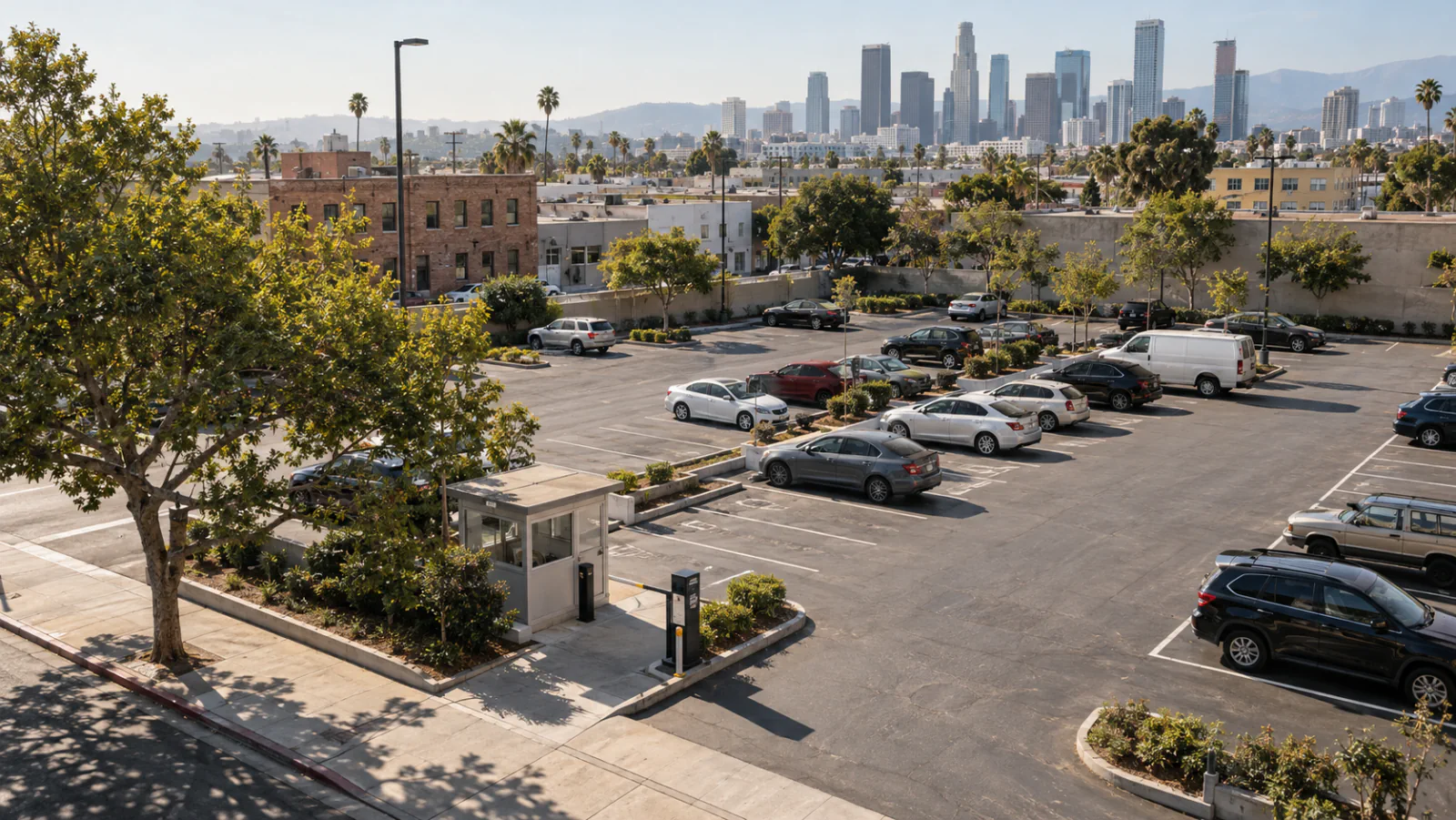
Sample shift
One lunch peak, five decisions.
A synthetic Saturday on a fictional lot beside a row of shops: storefront rows, the main entrance and an overflow area.
-
07:00
Lot opens
All five zones report a fresh observation. The morning view shows the main rows light and the overflow area empty.
-
11:40
Storefront rows fill
Rows A and B are observed nearly full. The supervisor checks that pay-station signage is visible and walks the row ends.
-
12:15
Entrance pressure
The east entrance lane shows vehicles circling between the first two rows. A staff member opens the cones to the overflow area.
-
13:05
Overflow view goes quiet
The overflow camera stops reporting after its last capture at 12:58. The zone moves to awaiting observation and a walk-by check is assigned.
-
13:20
Later staff note recorded
After the 13:10 snapshot, the attendant notes that overflow is in use and a parked box truck blocks the camera view. The note enters the site log; the camera count stays unknown until a fresh camera observation arrives.
Synthetic example for illustration. Times, counts and events are invented.
Shift-ready table
From observation to decision.
Each row pairs a zone and its freshness with the question a supervisor asks, who owns it, the staff check and the system that holds the record.
| Zone | Freshness | Operator question | Owner | Staff check | System of record |
|---|---|---|---|---|---|
| Rows A–B (storefront) | Observed 13:09 | Are the closest rows full enough to send arrivals elsewhere? | Shift supervisor | Walk the row ends; confirm wayfinding to rows C–D is visible. | Payment platform holds purchased sessions |
| Rows C–D (main) | Observed 13:09 | Is there room to absorb the lunch peak? | Shift supervisor | None needed while the zone stays fresh and below its agreed busy level. | Payment platform holds purchased sessions |
| East entrance lane | Observed 13:09 | Are vehicles queuing or circling at the entrance? | Lot attendant | Check that the overflow route remains clear; keep its opening time in the site log. | Site log kept by the operator |
| Overflow area | Awaiting observation · last capture 12:58 | Is overflow in use, and is the camera view clear? | Lot attendant | Walk-by check now; record what blocked the view. | Site log kept by the operator |
| Permit rows (staff) | Observed 13:09 | Are permit rows being used by visitors at peak? | Parking manager | Compare with the permit list before any action. | Permit system establishes entitlement |
Agree the zones, owners and staff checks during setup. The table above is a template filled with invented values.
Clear responsibilities
Three records, three jobs.
Observations sit beside the systems you already run. Each record answers its own question, and nothing here replaces payment verification or permit enforcement.
-
ParkSense
Occupancy observation
- Tells you
- Which zones were observed occupied or vacant, and when each observation was made.
- Used for
- Planning staff checks, overflow decisions and the weekly review of busy periods.
- Does not establish
- Whether a vehicle paid or is entitled to park.
-
Your payment platform
Payment session
- Tells you
- Which sessions were purchased, for how long and through which channel.
- Used for
- Revenue records, receipts and the session history your team already reports on.
- Does not establish
- Fresh occupancy by zone from a purchased-session record alone.
-
Your permit system
Permit record
- Tells you
- Who holds a permit and which rows or hours it covers.
- Used for
- Entitlement questions and any follow-up your policy defines.
- Does not establish
- Live space use across the rest of the lot.
Blocked view or lost freshness
What happens when a camera view is stale or blocked?
A zone without a fresh observation stays unknown. The view keeps the last observation time visible and identifies the gap for review. In the sample parking view, the site total remains unavailable until every scoped zone is current, so an old count or an unseen area never becomes a current zero.
Site total
Unavailable
Next step: walk-by check of overflow, assigned to the lot attendant.
Illustrative sample · synthetic data
Site-scoping worksheet
Six answers that scope your lot.
Bring these to a first site discussion. Rough answers are fine; the site walk fills in the detail.
| Item | What to note | Example answer |
|---|---|---|
| Areas and zones | Name the areas your team already uses on the radio: rows, aisles, overflow, permit sections. | Rows A–D, permit rows, overflow behind the shops. |
| Entrances and exits | List every vehicle entrance and exit, and any that open only at peak. | East entrance (main), north exit, overflow gate opened by staff. |
| Operating hours | Paid hours, busy windows and after-hours rules for each area. | Paid 07:00–22:00; busiest 11:30–14:00 and Saturday afternoons. |
| Cameras and mounting | Existing light poles, building edges and any cameras already on site. | Six light poles along the main aisle; two building-edge mounts. |
| Network and power | Where power and a network connection are available for on-site processing. | Power at the poles; network in the pay-station cabinet. |
| Review owner | Who acts on a stale zone during a shift, and who runs the weekly review. | Shift supervisor during hours; parking manager on Mondays. |
Paid lot site discussion
Plan the shift view for your lot.
Tell us about your zones, entrances and busy hours. We will reply by email and suggest how coverage and staff checks could fit your site.